
Client Usage Guide
The ssh-vpn client provides both an intuitive graphical interface (GUI) for everyday users, and a flexible command-line interface (CLI) for advanced power users.
Prerequisites
- Download the correct app bundle for your OS from the Downloads Page.
- Obtain SSH server credentials (from your company, your own VPS, or third-party servers like OpenClaw).
Graphical App (Recommended) 🖥️
Whether you are bypassing network restrictions or accessing corporate environments, the GUI app provides an out-of-the-box experience.
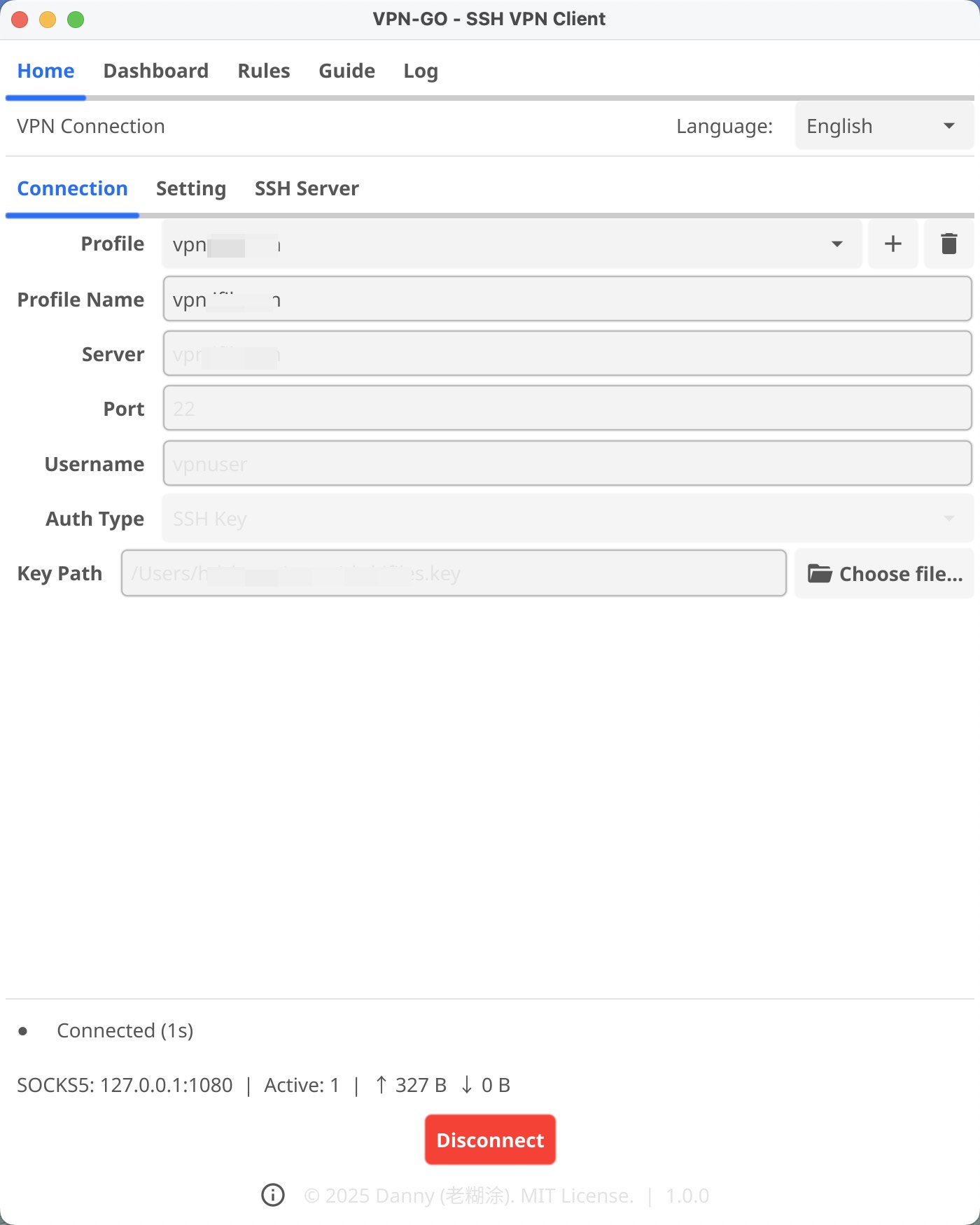
- Launch the App: Open the installed application (e.g., the
.dmgon macOS, or the.exeon Windows). - Add Profile: Click the Add Profile button to set up your connection.
- Server: Your server's IP and SSH port (e.g.,
123.45.67.89:2222). - Username: Your SSH username.
- Auth Type:
- SSH Key (Recommended): Browse to your private key file (often
~/.ssh/id_rsa). - Password: Type in your server password.
- SSH Key (Recommended): Browse to your private key file (often
- Mode:
- SOCKS5 Proxy: Creates a lightweight local proxy at
127.0.0.1:1080(you must configure individual apps like your browser to use this). - TUN Mode: Tunnels all system traffic seamlessly, just like a traditional VPN.
- SOCKS5 Proxy: Creates a lightweight local proxy at
- Server: Your server's IP and SSH port (e.g.,
- Connect: Select the profile and tap Connect.
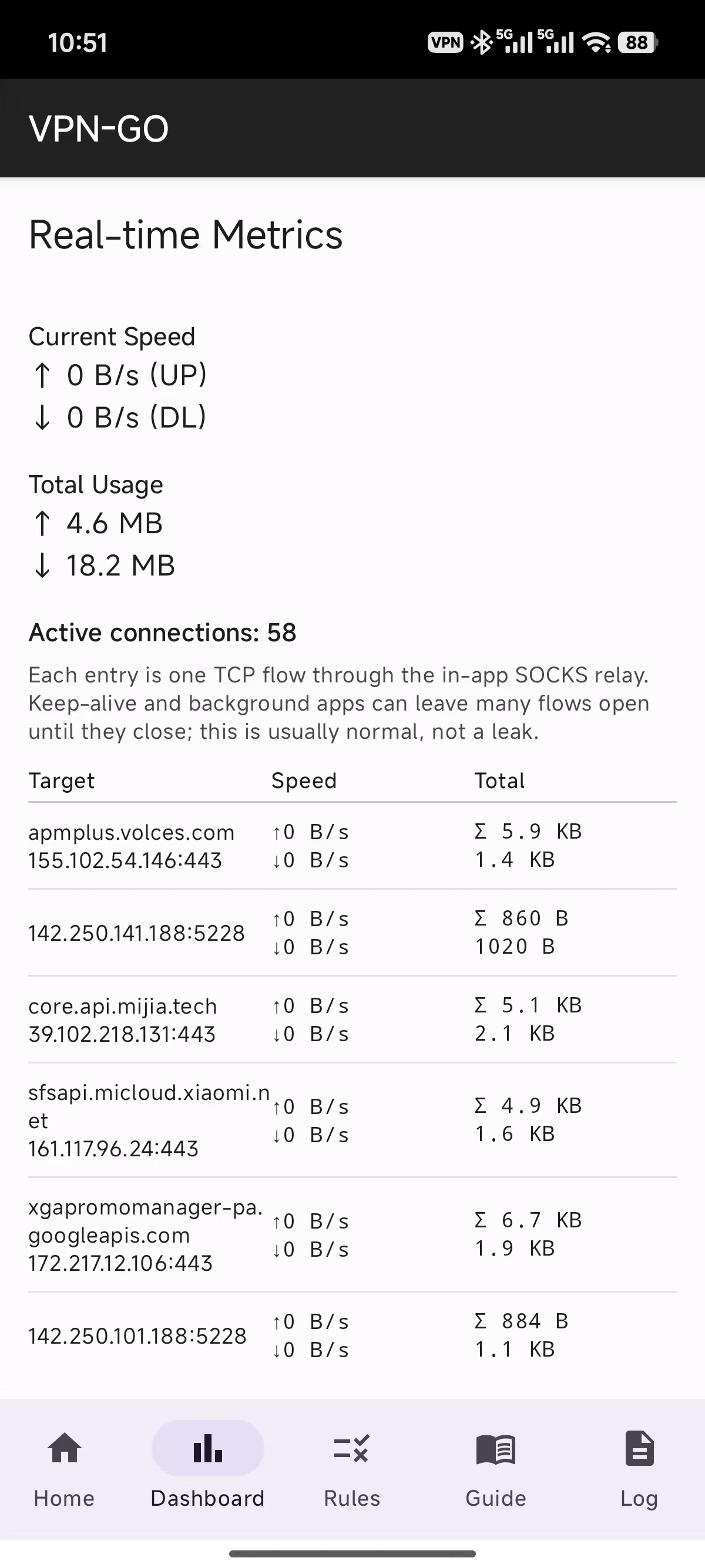
Note on TUN Mode Privileges TUN mode intercepts system-wide traffic by creating a virtual network adapter. It also takes over DNS resolution (binding to
127.0.0.1:53) to prevent DNS leaks. Because of this deep OS integration, using TUN mode requires Administrator/Root privileges on Windows, macOS, and Linux. If you don't have Admin access, use the SOCKS5 Proxy mode instead, which runs purely in user-space.
Smart Routing & Rules Engine
To minimize latency and seamlessly access both local infrastructure and blocked international networks simultaneously, ssh-vpn features a built-in split routing engine.
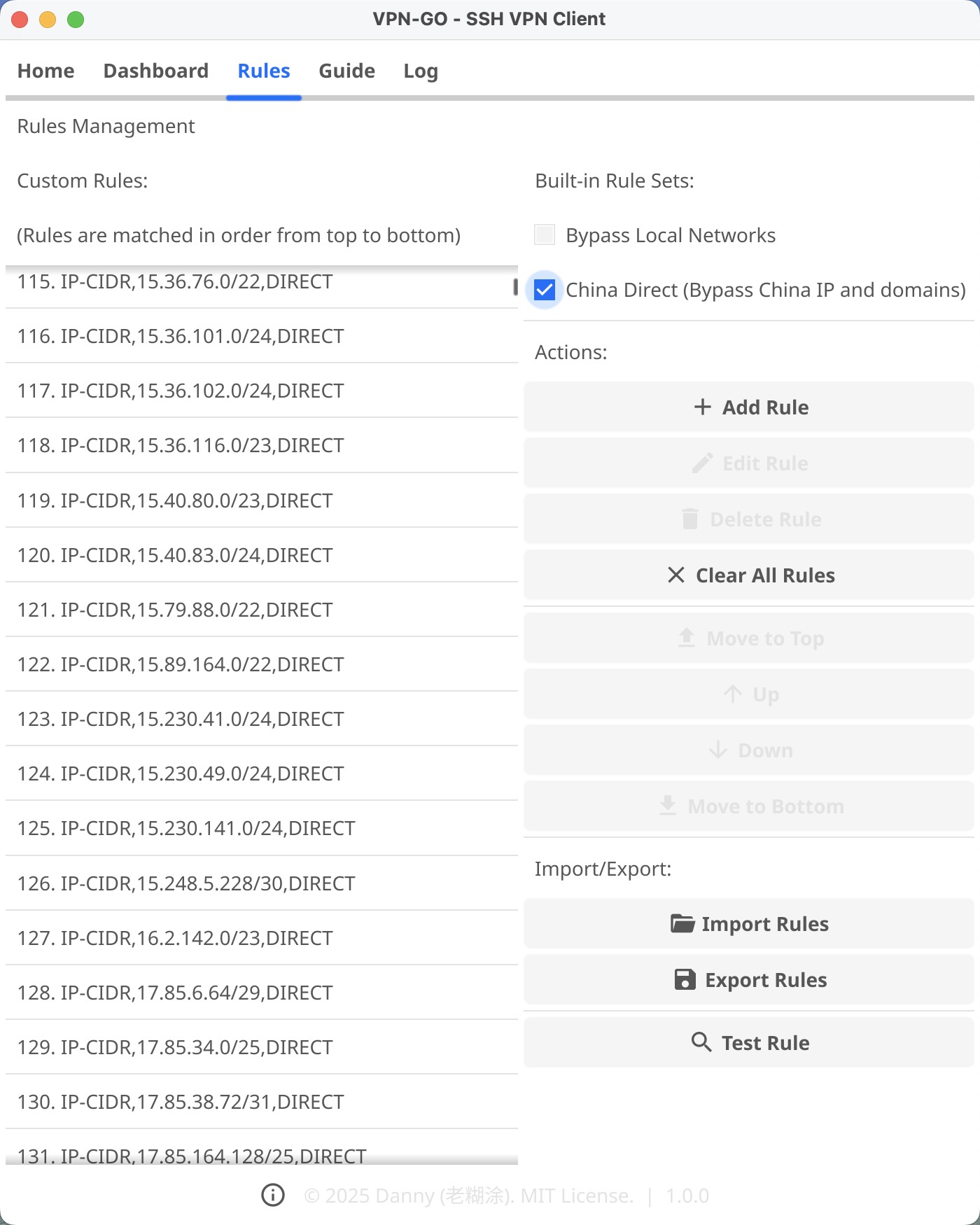
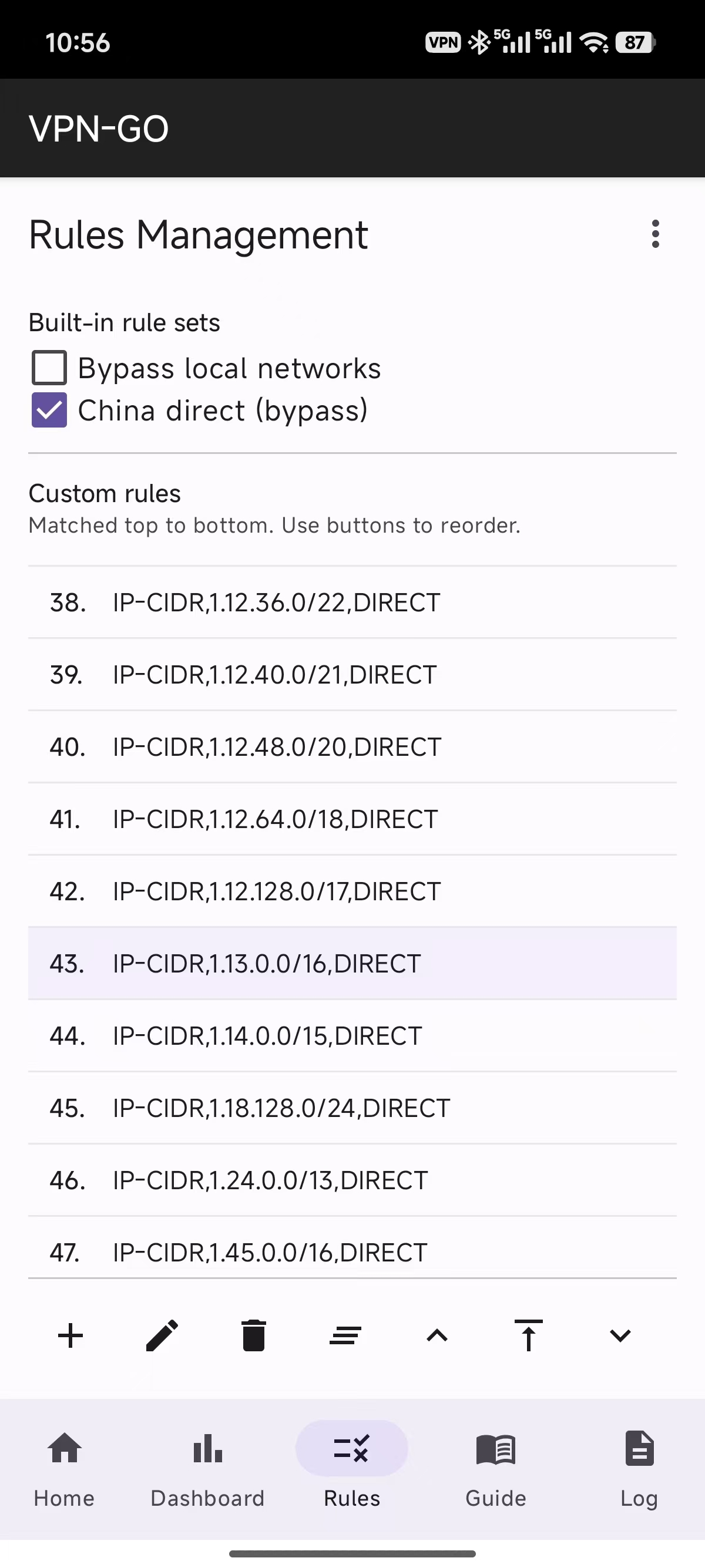
- Universal Compatibility: The rules engine syntax is 100% compatible with mainstream configurations. We organically support
DOMAIN,DOMAIN-SUFFIX,DOMAIN-KEYWORD, andIP-CIDRrules without conversion. - Easy Imports: You can import pre-authored rule lists directly into the client. For instance, you can integrate rules to force all Private IPs or specific regional CDNs to connect via
DIRECTinstead of routing through your proxy (PROXY), drastically saving SSH bandwidth. - Block Intrusive Trackers: Beyond bypassing, you can also inject
REJECTactions to block traffic toward known advertising and telemetry servers.
Command-Line Interface (For Advanced Users)
If you manage servers or prefer the terminal, ssh-vpn provides a headless daemon CLI suitable for scripting and background services.
# Example: One-off connection overriding the host
ssh-vpn-cli client -host 123.45.67.89 -port 2222 -mode socks5

# Example: Using a saved configuration profile (e.g. "WorkServer")
ssh-vpn-cli -profile "WorkServer" client
When connected via the default SOCKS5 mode, you can pipe traffic manually:
# Using curl over the ssh-vpn proxy
curl --socks5 127.0.0.1:1080 https://ifconfig.me
For a comprehensive breakdown of all available commands, refer to the CLI Reference.